

Introduction
Welcome to our step-by-step guide on activating eSIM on Android devices. eSIM technology allows Android users to connect without physical SIM cards, making it ideal for travelers and business users. Follow our easy guide to get your EasyFly eSIM connected in just minutes.
1. Check eSIM compatibility on your Android device
Not all Android devices support eSIM, so it’s essential to confirm compatibility first. Popular models like the Google Pixel 4 and newer, Samsung Galaxy S20 and later, and some Huawei models have eSIM support. Check this by going to Settings > Connections > SIM Card Manager (or similar, depending on the device).
2. Purchase and download a EasyFly eSIM
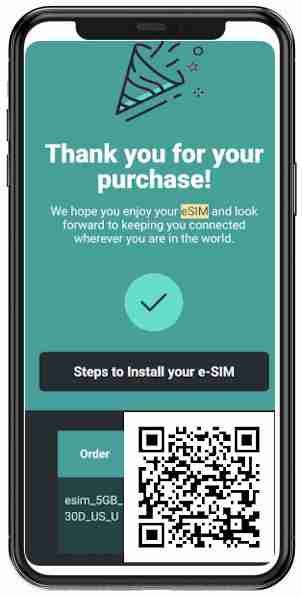
Visit the EasyFly eSIM website to choose a plan that fits your needs. After purchasing, you’ll receive a QR code via email, which you’ll use to activate your eSIM. Ensure that you have this code accessible during activation.
3. Steps to activate eSIM on Android
- Go to Settings > Connections > SIM Card Manager.
- Select Add Mobile Plan or Add eSIM.
- Use your camera to scan the QR code sent by EasyFly eSIM.
- Follow the on-screen prompts to complete the setup.
4. Choose eSIM as primary or secondary line
You can set the eSIM as your primary line or keep it as a secondary line for international or specific data usage. To manage this, go to Settings > Mobile Network and configure your default settings.
5. Test your eSIM connection
After setup, confirm your eSIM connection by browsing or messaging. If any issues arise, EasyFly eSIM support is ready to assist.
Final Note
Please remember that the final activation process for your eSIM can only be completed in the city or country where you intend to use it. Make sure to follow all steps carefully and activate your eSIM when you are at your destination for a seamless connection.
Conclusion
This complete guide to activating eSIM on Android is quick and straightforward. With EasyFly eSIM, you’re ready to stay connected wherever you go!